In less than four years, the way we use AI at work has changed three times, and a fourth change is starting.
First, we copied and pasted. Every conversation started from zero, so we fed it the email, the meeting notes and the project background, again and again.
Then every application got its own agent. One in your documents, one in your email, one in your wiki. Each one smart, and each one blind to everything outside its own app.
Then came MCP, a standard that lets one AI reach into many apps and pull the context itself. Less pasting, but you still had to go to the agent's window, find the right thread and ask.
Now the fourth step is starting: an agentic companion that sits on your desktop, next to all your apps at once, one shortcut away instead of one tab away.
Companies that started with completely different tools (dictation, chat, knowledge management) are all heading the same way. They're all becoming a companion.
Why they converge says a lot about what will matter next.
Different tools, same destination#
Take Wispr Flow. It started with one simple promise: talk, and clean text appears wherever you type. An email, a Slack message, a document. No more typing.
It worked, and its users wanted more. If it already hears me all day, why not my meetings too? So Wispr Flow added a meeting notetaker that transcribes and summarizes your calls. Then it raised $81M to build what it now calls "the Voice OS". A dictation tool now wants to sit underneath everything you do.
It's not alone. ChatGPT, the chat window that started it all, now has Record mode in its Mac app: it records your meetings, transcribes them and turns them into notes and action items. And Notion started as a place for your team's knowledge. Then it added AI, then AI meeting notes, then agents. Today it introduces itself as "the AI workspace that works for you."
Nobody planned it. Each tool followed its users, and the users weren't asking for a smarter model or one more feature. They were asking for a new user experience. Not a window you visit, but a companion: an agent that builds on their knowledge, without making them jump from one window to another.
Out of the chat window#
At the same time, other tools rethought how we talk to an agent at all. Clicky calls itself "an ai buddy that lives on your mac": press a hotkey, it looks at your screen, you talk to it, and it can go do the task for you. Taby, "the little buddy of your computer", keeps your tasks, notes and calendar, and even comes in a physical version for your desk. No stack of chat threads to scroll through. The agent is simply there.
That's the visible part. A buddy that floats over your apps but knows nothing about your work is the old chatbot in a new place. You'd be back to pasting, just closer to your cursor.
A companion without memory is just a cute toy. What makes a companion worth having is what it remembers. Your conversations with it. Your meeting notes. The notes you wrote yourself. The decisions that were made and the tasks that came out of them. And the sources it can reach for you: your documents, your calendar, the tools your team uses. That's your work memory, and a companion is only as good as the part of it that it can see.
So the experience and the memory aren't two features. They're one. The companion is how you reach the memory, and the memory is why the companion matters.
Who holds your work memory?#
Your work memory is the most useful data you produce at work, and the most personal. Where it's stored, who can read it, which AI processes it, whether you can take it with you: these aren't technical details. They decide whether you can trust the companion at all.
And the products answer very differently. Littlebird watches your active window continuously and builds its memory from everything it sees and hears. Clicky does the opposite: it only looks at your screen when you press its hotkey, and says screenshots are never stored. Granola, the meeting notepad valued at $1.5B, keeps your meeting transcripts and opens them to other AI tools as a shared source of context.
Three products, three very different answers. Building Azynote, I had to pick mine, and it's simple: your work memory should live on your machine, in files you can read, and you decide which AI gets to see it.
How I think about it#
When I looked at those products side by side, I didn't see competitors to choose from. I saw pieces of the same companion. So that's what Azynote brings together, built around that answer.
- Presence, like the desktop buddies. The orb sits at the edge of your screen and opens wherever you work.
- Capture, like the voice tools. Dictate into any app, or just talk to it.
- Memory, like the meeting notepads. Your meetings are transcribed on your Mac, next to the notes you type yourself, and everything is stored on your Mac, as files you can read, fix and delete.
- Eyes, like the ambient tools, but on demand. It looks at your screen when you ask it to, not the rest of the time.
- Conversations, without the thread hunt. Each question finds its own thread, so you never scroll through old chats looking for the right one.
- Your choice of AI. On your Mac, with a provider, or a mix of both, decided capability by capability, and you can see what leaves your Mac.
- Open to your other tools. Through MCP, the other AI tools you use can reach your memory too, so it isn't locked inside one app.
Here's what that looks like in my own day.
A day with Azynote#
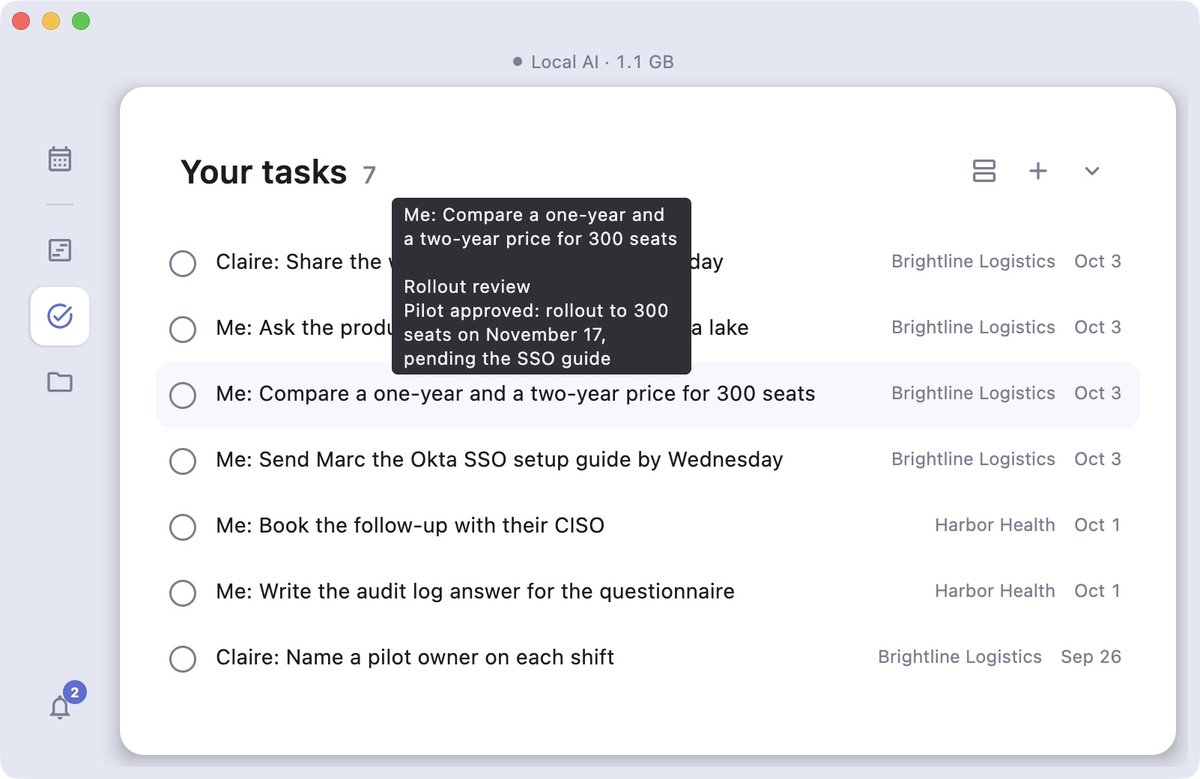
8:45. Before anything else, the Tasks view. Every open item from every OnePager, across all my clients. I hover one I don't remember and it shows me the meeting that asked for it.
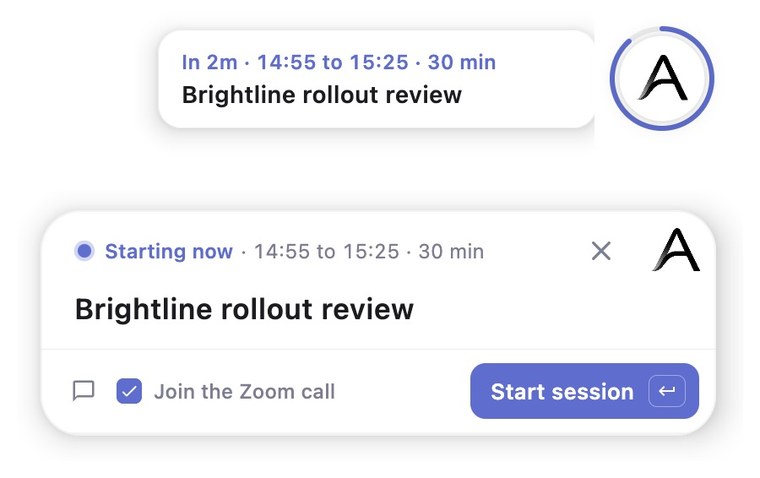
9:50. A ring starts filling around the orb at the edge of my screen: a client call in ten minutes. The session is already filed under the right client, because I told Azynote once how to recognize their invites. When it's due, one tap opens the session and joins the call.
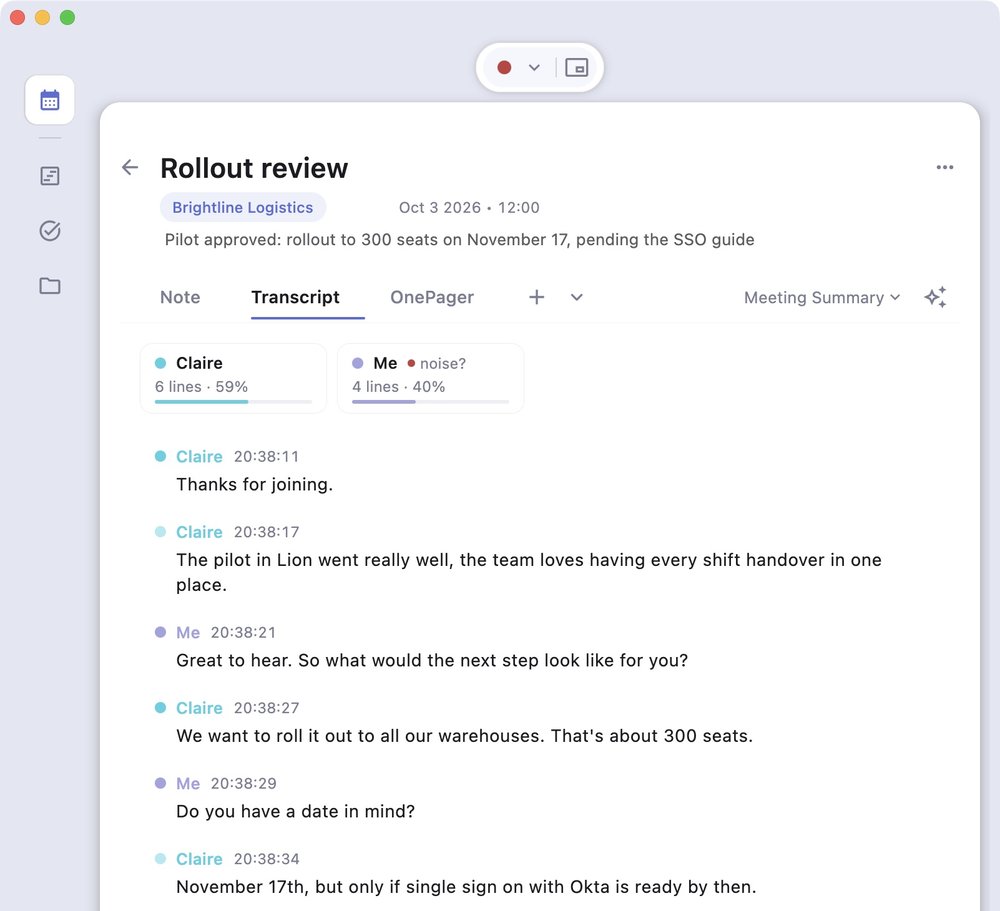
10:00. Azynote transcribes on my Mac and tells the voices apart while I type a few notes of my own. Halfway through, I have to step out. I type /brb, and when I come back, "I'm back" gives me what I missed in a few lines.
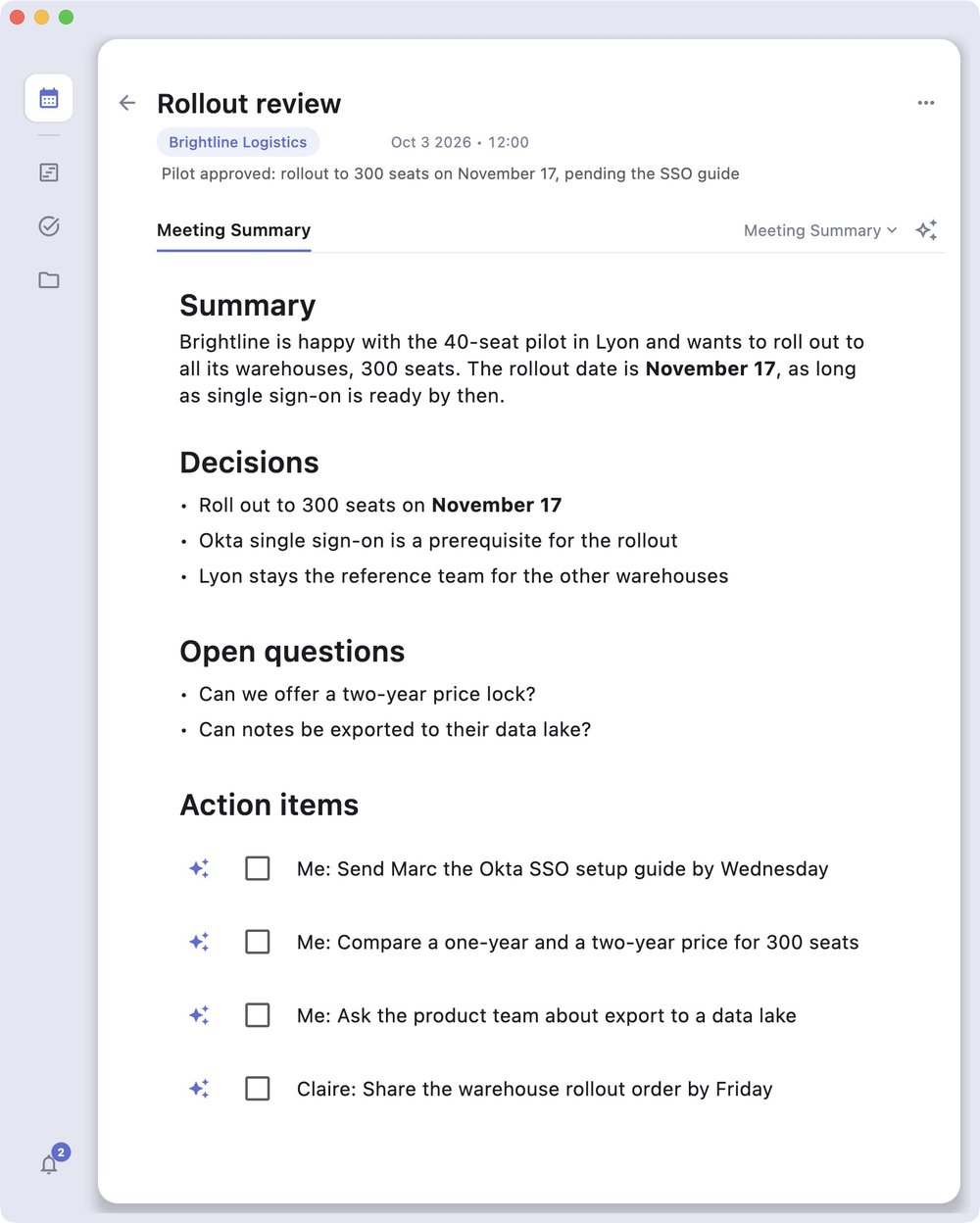
10:45. The call ends. One click, and the OnePager writes itself from my notes and the transcript: decisions, open questions, who owes what. One of my tasks is a comparison I don't have time for. I click Delegate, and the agent writes its answer right under the task.
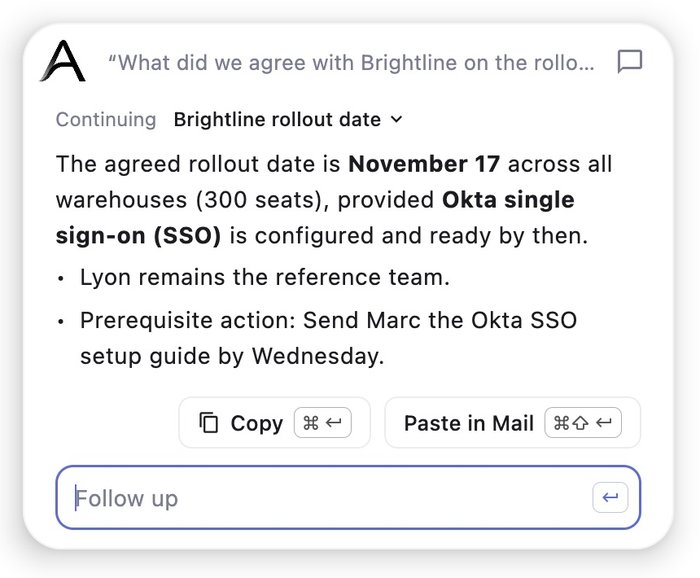
11:15. I'm in Mail, answering the same client. I select their question, tap the orb and ask what we agreed. The answer comes from the meeting I had an hour earlier, and one shortcut pastes it into my reply.
14:00. In Slack, I dictate a quick update. The client's product name, the one every transcription used to mangle, comes out spelled right. Azynote learned it from my OnePagers.
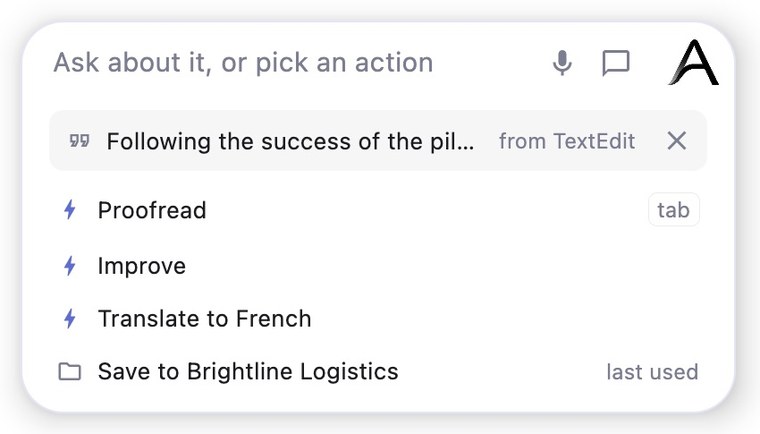
16:00. I'm reviewing the proposal for that client. I select a paragraph, tap the orb and pick Proofread, and the corrected version goes straight back in place. Further down, there's a paragraph worth keeping, so I capture it. The client's subject is already picked, Enter, and it's filed.
17:30. Before closing the laptop, I ask the orb what's still open with this client. It answers from the morning call, my notes, the tasks and what I captured this afternoon, all at once.
None of these moments is impressive on its own. What's different is that each one builds on the ones before it. That's what a memory feels like from the inside: you stop noticing it, and you stop pasting.
And this is just the first step#
Everything in that day ships today, in Azynote 1.6.0.
There are still many challenges to overcome before I reach the companion I have in mind. The biggest one is moving from a passive agent, waiting for someone to ask, to a proactive one: a companion that speaks up at the right moment, without becoming one more thing that interrupts you, and without crossing the line on your privacy.
But for now, you can download Azynote and try it in your own day. Tell me how it fits yours. And if you have questions or feedback, write to me at support@azynote.com.