Every word captured.Every action tracked.Every subject under control.
Built for
Solution Engineerswho juggle too many accounts to keep track.
macOS · Free · No account, no API key required
The problems
Sound familiar?
"You just finished a client meeting. You tell yourself you'll write the summary later. But then you receive an important email... and you forget."
"You tried using AI to help. But you find yourself copying and pasting between applications all day."
"Your manager asks you a question about one of the 20+ clients you manage, the one you haven't seen in three weeks. So you go blank."
"You're having trouble keeping your meeting notes synchronized with your task management, so things slip through."
Meet your work bestie:
Azynote
It starts in your meetings, because that is where most of your context shows up.
It does not stop there: the same engine follows you into every app, every note, every subject you manage.
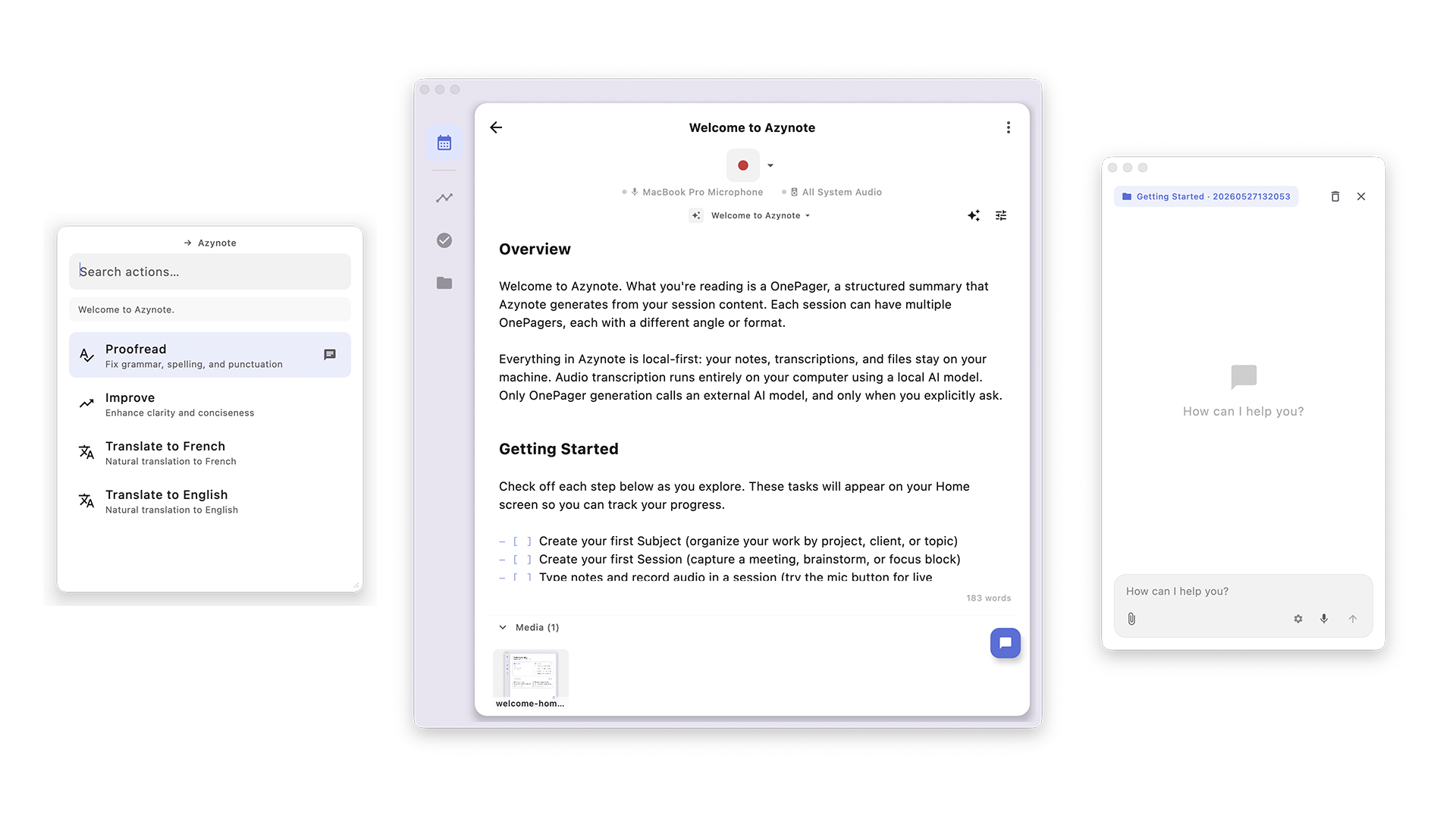
Azynote captures everything in the background so nothing slips through the cracks.
Every meeting feeds your second brain: a knowledge base your favorite AI agent can query anytime.
Features
Built to stay out of your way
Meetings are where most of the context shows up. They are not where the work ends.
During the meeting
Every word captured
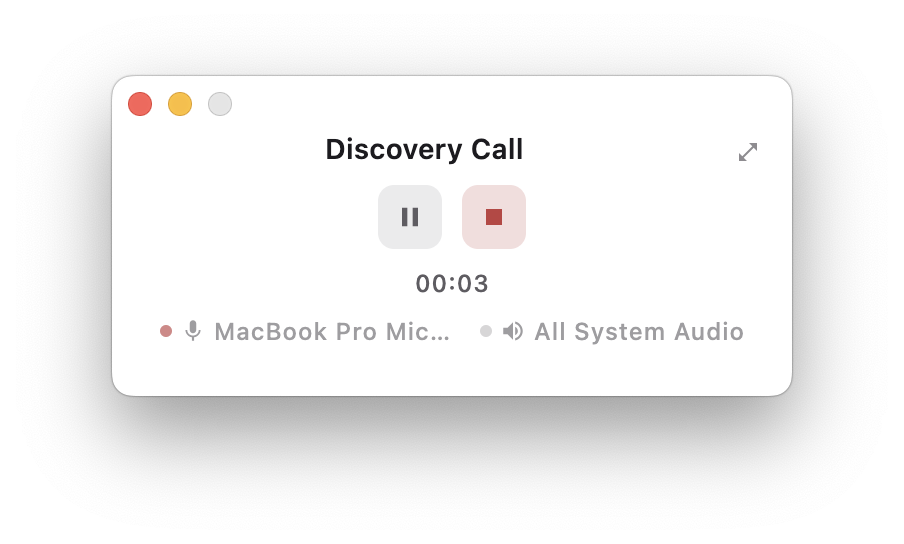
Open the app, pick the event, and stop thinking about the tool. Everything is transcribed on your Mac while you stay in the conversation.
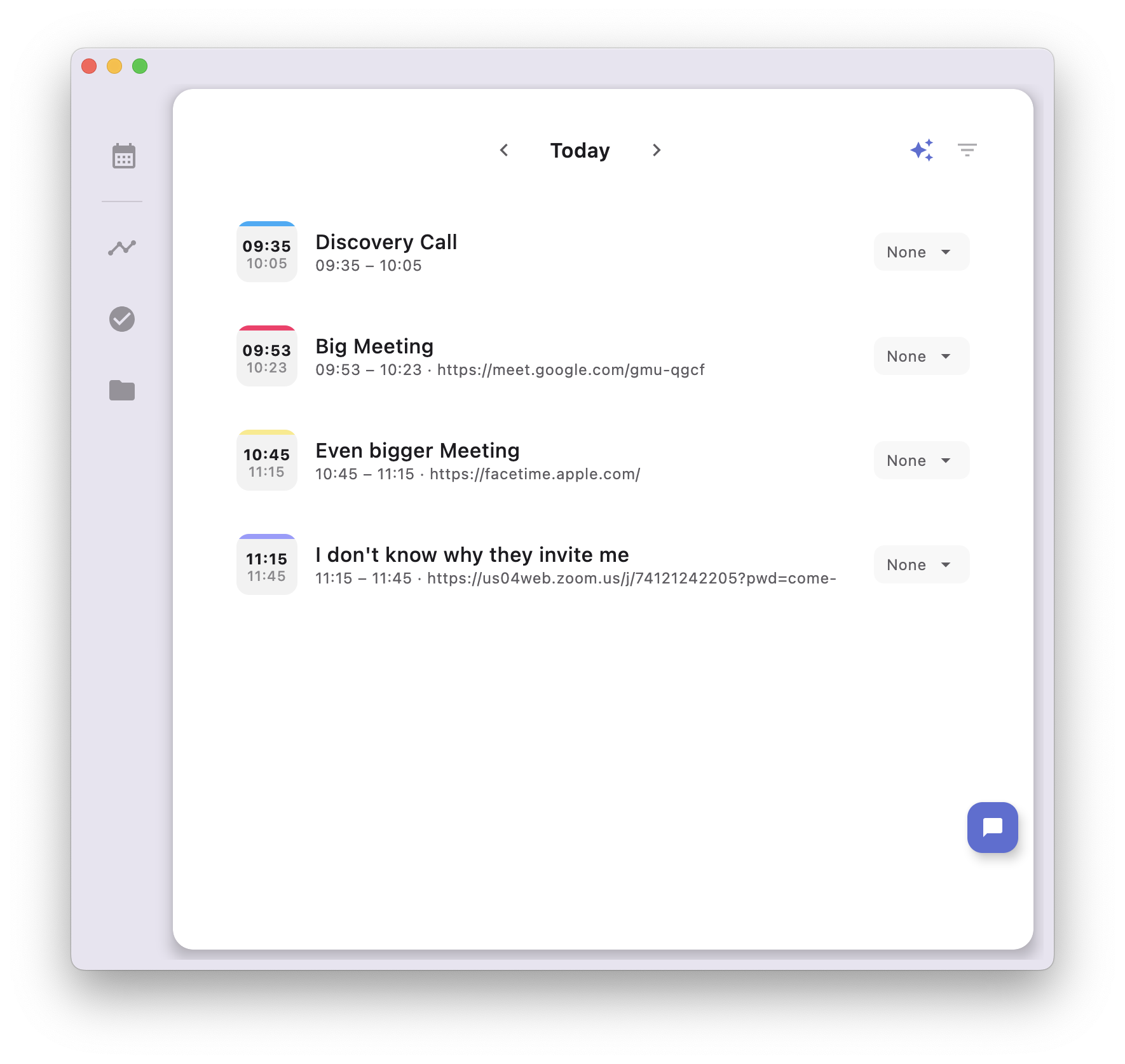
Your Calendar, Built In
Azynote fetches your events from Apple Calendar. See your day at a glance, pick a meeting, and start recording. Zoom, Teams, or Google Meet, it doesn't matter, just click and go.
Local Real-Time Transcription
Every meeting is transcribed locally in real time, directly on your machine. No audio uploaded, no files to manage. When the meeting ends, your transcription is already there.
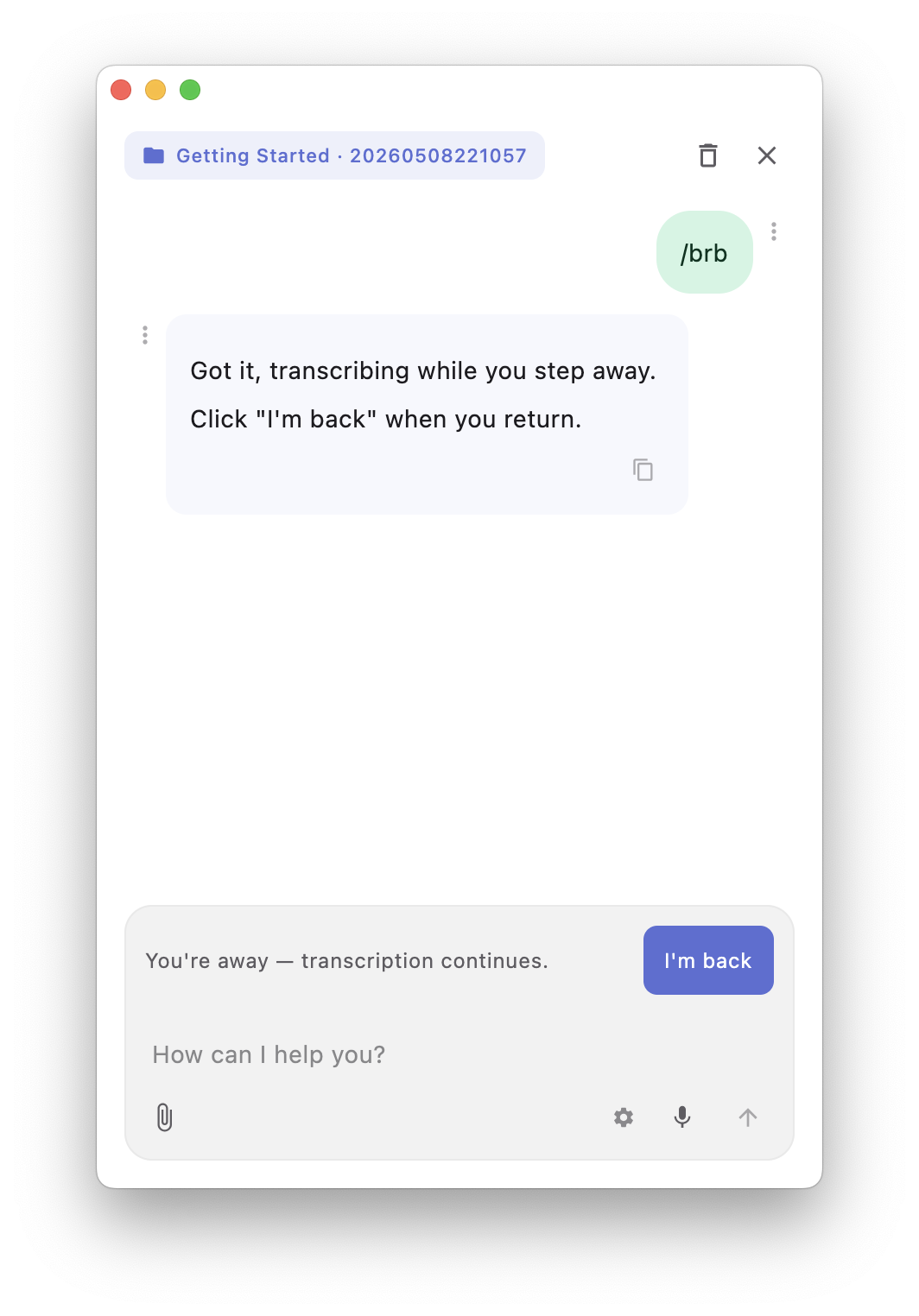
Step out. Catch up in seconds
Type /brb before you step away. Transcription keeps running while you're gone, and a banner marks the moment you left. When you're back, hit "I'm back" and Azynote summarises everything you missed using your selected model. No rewinding, no scrubbing.
Every speaker turn is also stamped with an elapsed timecode, so citing a specific moment is as easy as glancing at the transcript.
After the meeting
Every action tracked
The summary writes itself, the commitments become tasks, and nothing depends on you remembering to write it up later.
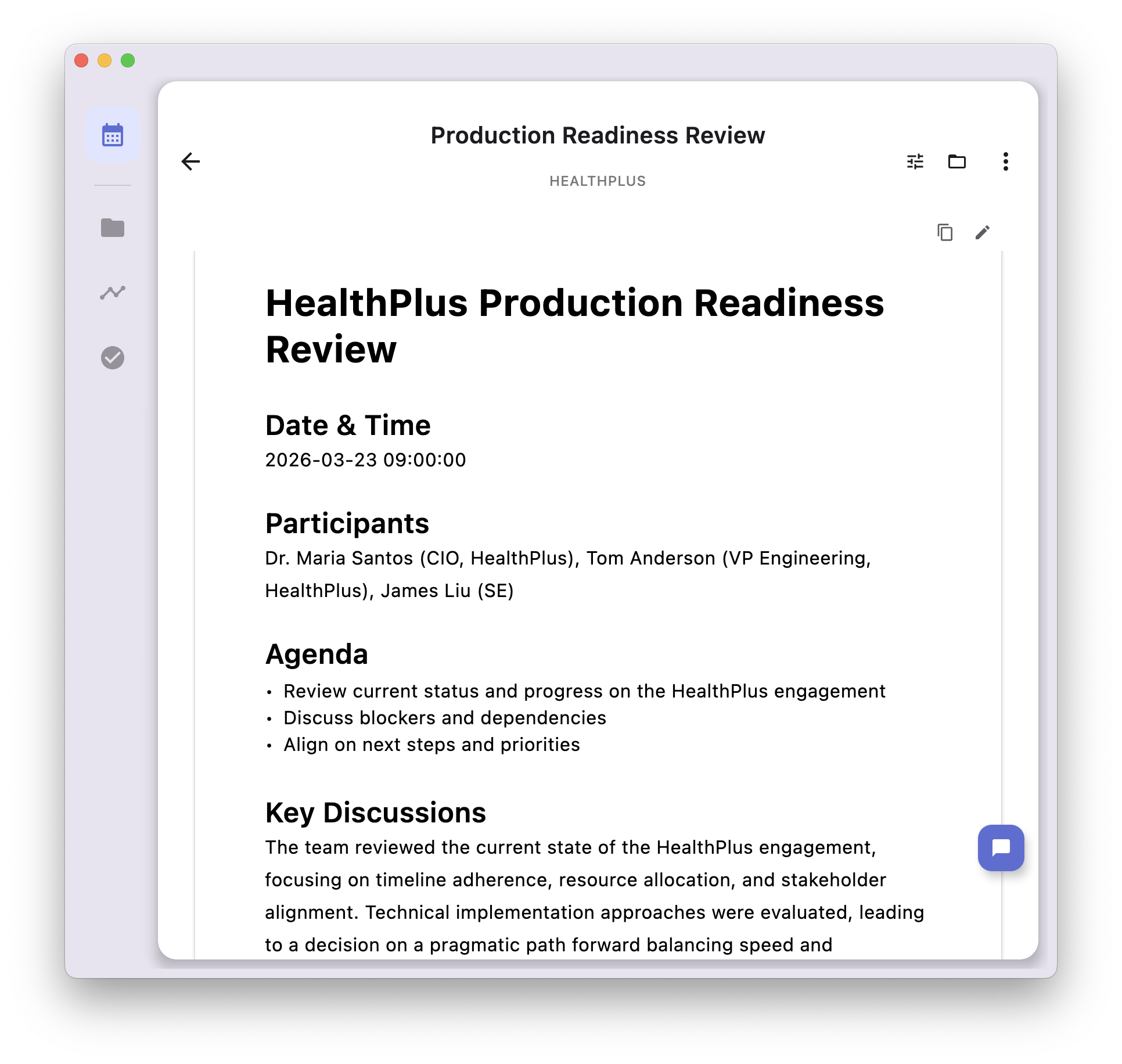
OnePagers Generation
Built from your transcription and any assets you provided during the session, like images or notes. Generate multiple OnePagers per meeting (exec summary, detailed summary, follow-up email). Each one shaped by customizable templates you define once and reuse forever.
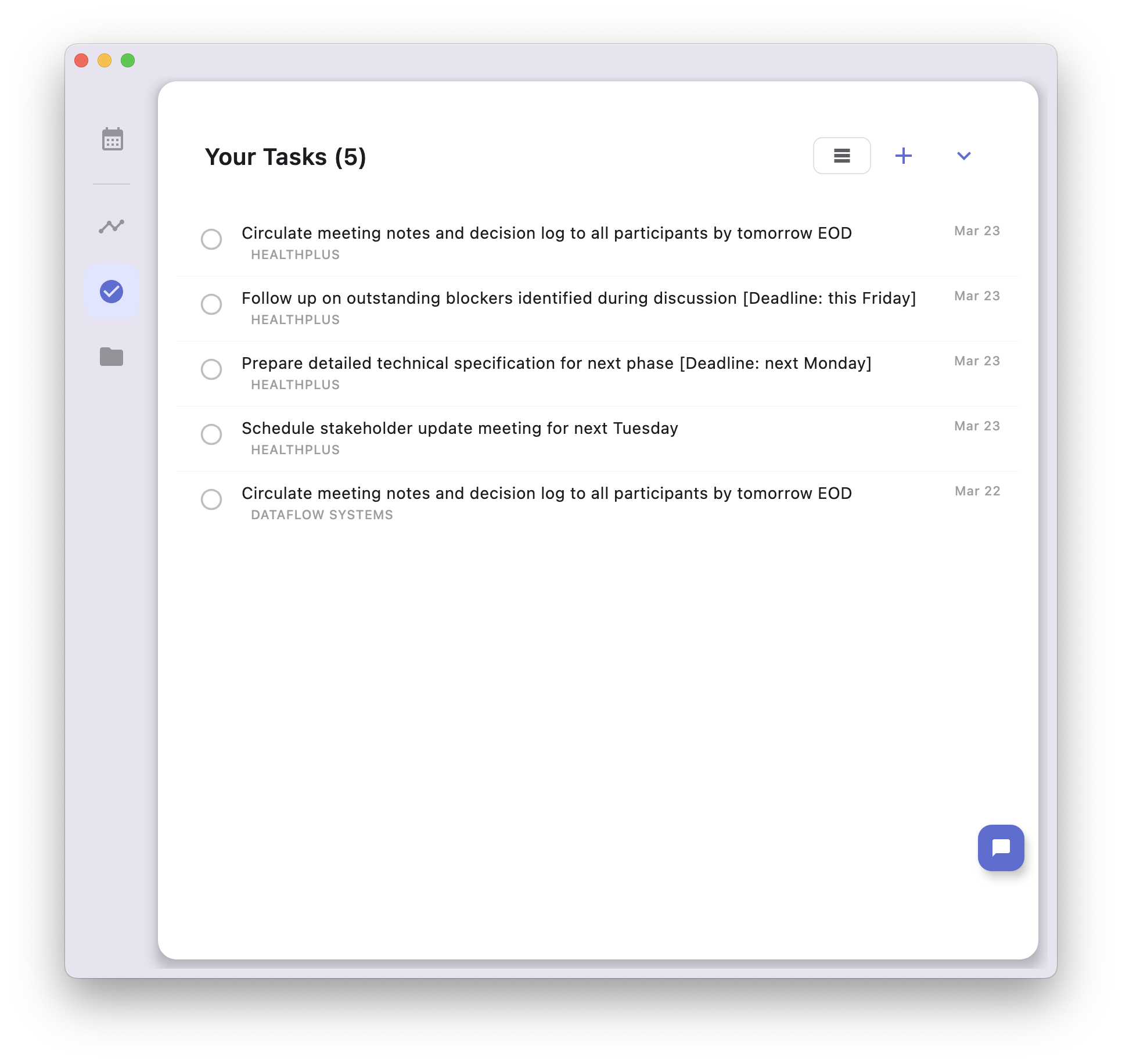
Automatic Task Extraction
Action items are pulled straight from your meetings and organized by subject. Nothing slips through the cracks. Every commitment is tracked in one place.
Between meetings
Every subject under control
The 20+ clients and projects you carry around. Azynote holds what you know about each one, and the same engine follows you into every other app you work in.
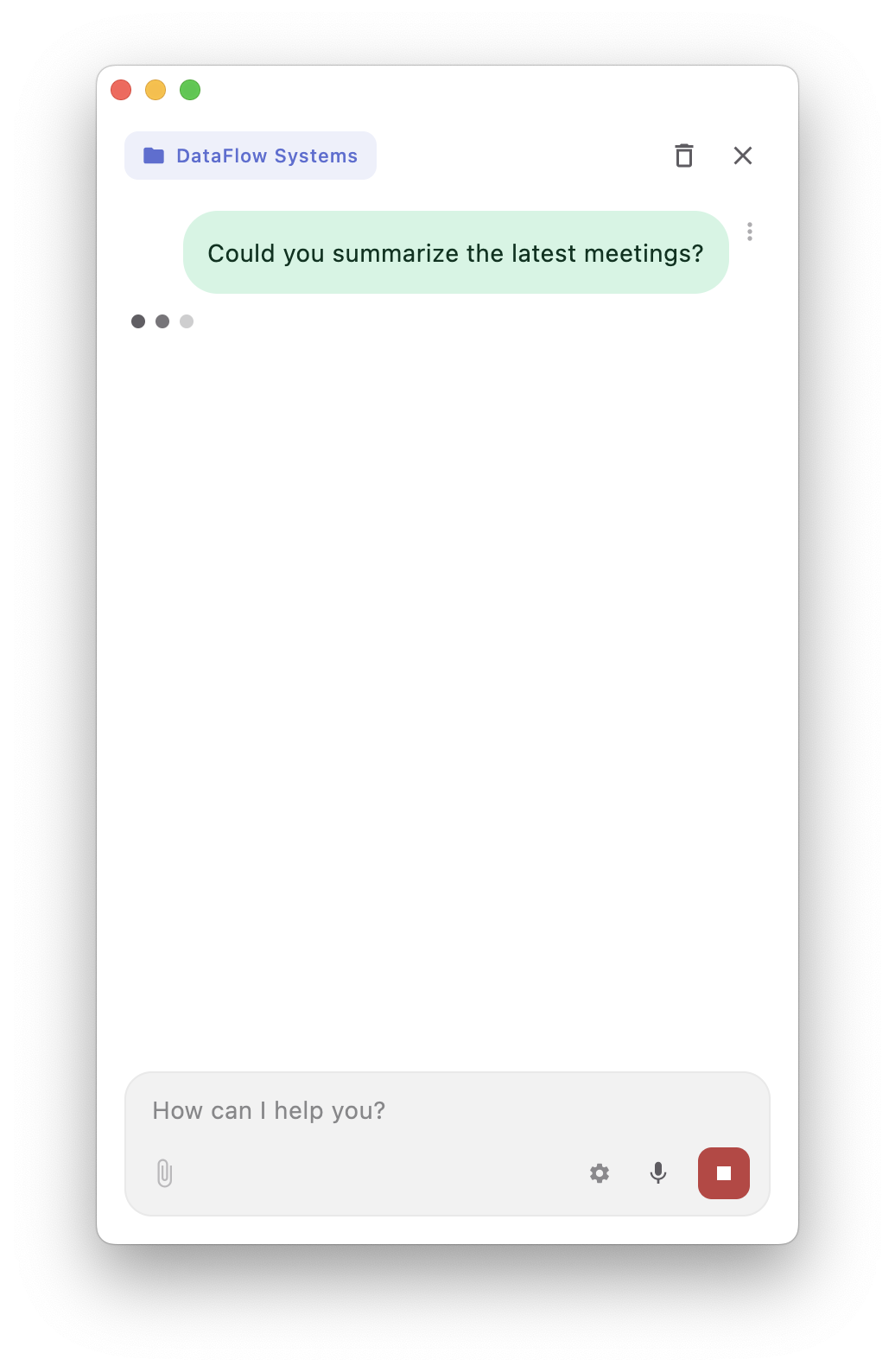
Chat with Everything You Know
The client you have not seen in three weeks. A decision made in a meeting you half remember. A note you took last month. The Chat Agent searches every session, note and transcript in your workspace, and reaches into Slack, GitHub or any MCP server you connect to it. Never go blank in front of your manager again.
No meeting required
Three hotkeys reach the same engine from anywhere on your Mac, whether or not a session is open.
Smart Actions
⌃⇧OSelect text in any app on your Mac and hit the hotkey. Proofread, improve, translate, summarize, or any action you define yourself. The result streams back in place.
Quick Capture
⌃⇧KA thought worth keeping, from wherever you are. One hotkey, type it, done. It lands in your workspace without breaking what you were in the middle of.
Ask Anything
⌃⇧CChat with your whole workspace, not just your meetings. Connect Slack, GitHub or any MCP server and it reaches the context that lives somewhere else too.
Key difference
No bot in your meeting
No audio uploaded to the cloud
No uncontrolled AI provider
Local first.
Your data.
Your machine.
Your meetings contain your most sensitive conversations. Client strategies, technical decisions, internal debates.
Azynote keeps all of it on your machine. Transcription is local. Storage is local. The AI is local too, by default. Prefer a cloud model? It connects straight to that provider through your own API key.
I never see your data. I never touch it. I never store it.
Pricing
The app is free
Running entirely on your own machine was always the goal. Azynote is close, and not yet close enough that I would ask you to pay for it. So it is free while I finish the job.
Free
No credit card, no trial timer, no locked features
- Every feature, no tiers, no add-ons
- AI runs on your Mac by default, on 16 GB or more
- Prefer the cloud? Gemini, OpenAI-compatible, or Claude CLI
- Notes, audio, and transcripts never leave your machine
- No account, no telemetry, nothing to cancel
I make no money from this app, and none from your data. There is nothing to sell, because nothing leaves your Mac. I build Azynote as an exploration space and share it with the people who find that idea worth something.
System Requirements
Built for local AI processing
Transcription always runs on your Mac using the Apple Neural Engine. With 16 GB of memory or more, the AI runs there too and nothing leaves your machine at all. On a smaller Mac, Azynote works the same way with a cloud engine of your choice.
Apple Silicon required.
Intel Macs are not supported.
Azynote uses the Apple Neural Engine for on-device transcription.
Minimum Requirements
* Internet is needed once, to download the transcription model and, if you choose the local engine, the AI model. After that Azynote works offline, unless you pick a cloud engine.
FAQ
Frequently asked questions
Get started
Your next meeting
deserves better.
Install Azynote and use it. It is free, and it runs on your Mac.
macOS · Free · No account, no subscription